Bavilo
5
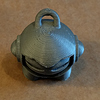
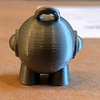
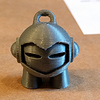
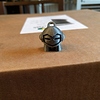
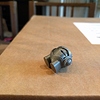
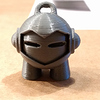
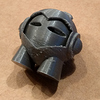
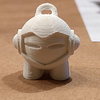
Ok so I tried printing Marvin that came on the SD Card. It still not as good as it should be…
Printed with 100 microns
Hi Bavilo, I also had those issues and what I ended up doing was buying the silicone socks from e3d and did the PID tuning with the sock on. After that it came out perfect  It has to do with the temperature deviation being to big… Here is a link to a video explaining how you can do it: E3D Silicone Sock on Original Prusa i3 MK2 + PID Tuning - YouTube
Fuli
7
Try is with the silver prusa filament and like wirlybird said, play with the temperature. Printing speed for a marlin should be around 20-30 mm/s 
Do you print at normal speed? Try use another slice. In use cura with my prusa mk2
In my case i have live-adjusted the Z-axis (you can set this in the settings menu) to -0.300. That was a result of the test prints of calibrating the first Layer. It is well documented in the manual: http://www.prusa3d.com/downloads/manual/prusa3d\_manual\_mk2\_en.pdf
Chapter: 6.3.9.
After fine-tuning this “live z-axis” i got much better prints and the first layer is perfect.
Probably this helps for you, too?
Greetings,
;-liver
Hello, what speed did you use ? Have you try with Cura ? I have the same printer as you, in kit, and i had some issue with slicer, this is why i use Cura and the result are compliant with my expectations now. Z adjust is also -0.300 to get a good first layer. Let us know ! For economy silver PLA from Colorfabb (2.2kg) i put 213° for hot end and 60° for bed. ED
The live z adjust is dependant on each individual persons printer and the height of their PINDA probe, which is manually adjusted
Exactly!
I don’t know how many I have seen with damaged beds because someone said “set you live Z at xxx” or “you live Z needs to be at” and then they crash the nozzle into the bed.
Bavilo
13
Correct,
My PLA live z-adjust is at -0.615 mm. Which makes the first layer look perfectly fine.
I have done another print yesterday, I will upload the result in a few hours. I have reset all my changes in the printer profile and used the default setup. On top of that I have tensioned the belts a little more (Not sure if this had any effect). But the print came out much much better.
Pictures will follow soon as I probably need to tweak it some more!
He looks pretty good.
I would work on a .2 version and get that nailed first before fighting with .1!
Remember temps are going to be one of the big issues on Marvin so printing 2-4 at a time can help. Temp on yours doesn’t seem bad though. Speed may be a factor. I printed at about 20mm/sec but then heat can become a factor more.
I think the settings are close so small changes and one at a time to see the effects of the change.
Some of the problem areas are good on yours like the key chain ring.
Bavilo
16
Thanks for this video!
I was having these oscilations as well and I thought it was normal. Now after the calibration the temperature is SPOT on!
Bavilo
17
Ok so here are my latest prints:
200 microns looks good. 100 is still screaming for improvement. Is it still printing too hot? This was 205°C
I haven’t used slic3r much, but is there a minimum layer time? It looks kind of like the layers aren’t having much time to cool. Try printing one with a cooling tower next to it (print a Marvin and a simple small cylinder at the same height as the Marvin) at the same time and see if that helps. It also looks like you may have some z wobble. Make sure you y and x belts aren’t too tight, as that can cause the same issues. Print a 20mm calibration cube with low infill and extended in the z axis to 100 or 200 as well. This should give you an idea if you have z wobble around a certain height. Once it’s done if there is ringing around 110mm you know that something goes wrong at that height. I had an issue where my smooth rod for the right side of z was a little bowed, and at 140mm it bowed inwards, causing the x axis belt tension to get thrown off, causing some issues. Let me know if any of this helps.
What speed are you printing at? Maybe try slowing down a bit?
Bavilo
21
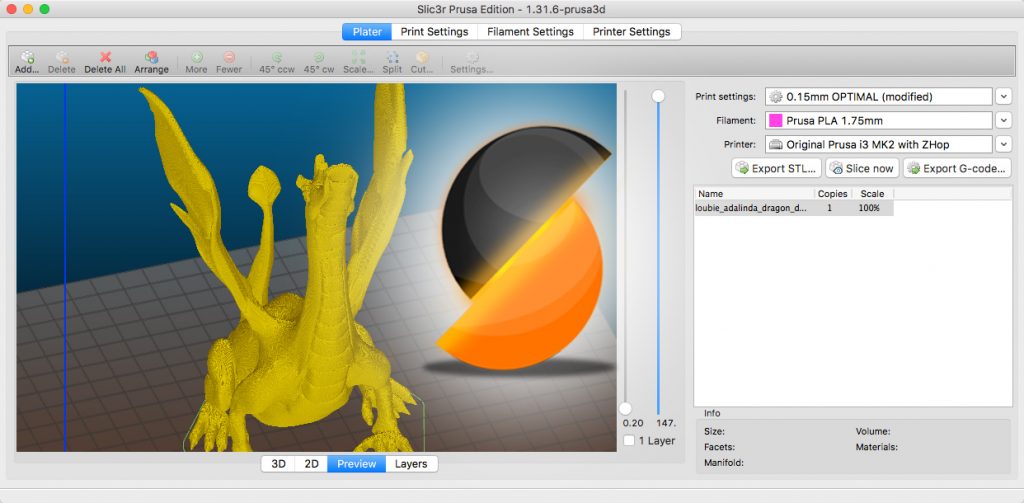
These are the speed settings for 0.1mm
drindt
22
For me this looks quite normal. Try switching to 100 microns and maybe try a lower temperature.
Bavilo
23
I have finished another 200 and 100 micron print. I believe 200 microns should be good to go now. 100 microns is still weird.
These were printed using the default settings from Prusa Slic3r preset. Temperatures for both are 195°C / 60°C. For the 100 micron version I even included a wipe tower…
I think the white colorfabb pla looks good too using the same settings…
mtkapp
24
I did not read through all the replies, but I am having the greatest success using the Prusa’s Slic3r version.
I used the recommend settings for the most part. For Marvin, just select detailed.
Also, on Printer: Settings → Mode – > High Power
Settings → SD Card → Normal