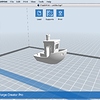
Today I started my flashforge printer. Everything heated up, the bed and the element. Then it went to print, and just paused in the position of the start of the print. So the head moved into position just above the platform and stopped. Heaters stayed on. Tried upgrading firmware. Formatting SD card. Trying different X3D files that had worked previously. Nothing so far has helped. Video below of the action. https://goo.gl/photos/ZkjFmp8LBE5iGxx18 Any help greatly appreciated.
Jamie
2
Hi Jason,
I’m looking into it for you. I suspect it is the mainboard, or LCD/SD. Just trying to ascertain which one.
Perry_1
3
What is your slicer software?
Can you try a different SD card. Format with SDFORMATTER, not windows format.
-------------------
In your slicer software, have you selected the right printer?
Are you using x3g files?
Try using flashprint software.
We assume that you have a FlashForge Creator Pro. Such behaviour is usually caused by faulty files on the SD card or even the card itself. Sometimes formatting it on a computer can make the SD card unreadable on the 3D printer. Try putting the card into a good old digital camera and use the built-in formatting feature to low-level format the card.
To rule out the card as the cause of the fault, you could try printing directly from FlashPrint with the printer connected with a USB cable. If that works, and not the SD-card print file, then you continue to troubleshoot the SD card.
We attached a standard #3DBenchy sliced with FlashPrint using ABS filament on the right extruder. You could use the file and give it a try.
We were not able to attach the .x3g file here. You can download it from https://dl.dropboxusercontent.com/u/2071652/3DBenchy\_FFCP\_ABS\_R.x3g.zip
Thanks Guys.
So i’ve tried 4 different cards. Did the low level format in camera on one. Tried printing the file linked above (thanks Creative Tools).
Nothing working and exact same result each time.
I downloading Makerbot Desktop. Sent a print to the machine and it worked.
I can’t print from Flashprint. Not sure if there is an option i’m just missing.
So at this stage i’m guessing the issue is with the card reader possibly.
Jamie if you have any ideas from here, much appreciated.
Cheers guys!!
It seems like the issue, as you suspect, is the card reader. To make sure that the printer is OK, you can connect via the USB cable from the computer using FlashPrint. From the Print menu you should be able to make a live connection to the machine.
Not seeing that option. - YouTube
Am i missing something? Cheers!
Hi Jason,
I had the same issue, The extruder was also pushing out filament but the print head wasn’t moving.
After few days I tracked it down to the limit switch upon the axis, upon the front right corner was sticking on.
It’s quite near the start position and the motor was just touching it so that the light was on.
You could change the start position in your slic3r to front left corner, which is further from the end stop.
Also check the connections and wiring. With the printer in it’s start position the end stop LED shouldn’t be on
Chris
PS I also backed up and erased the eeprom, which to this day I haven’t replaced
If you can print from Makerbot desktop the I feel the machine is not the issue. How did you print from Makerbot? SD card or USB?
What machine is this exactly? Did you set the correct machine in flashprint?
What firmware version is on the machine?
Yes, Flash Print is SD only.
From maker bot by USB. I’ve bought a brand new SD card and tried printing the file from here using sdcard. Still the same. Just pauses at 0%. Jamie sent me a new card reader also. Still the same. Puzzling. No idea what else it could be.
I updated the firmware after this issue appeared. I updated over USB from flashprint which all worked fine.
Did you see my reply?
It could be a stuck on end stop, but print head not touching.
Yep thanks. But it prints over USB from computer. Plus I checked those lights and it doesn’t seem to be the issue. Cheers
I am guessing you can read and select the file to print from the SD card?
For the SD card. Make the file name really short and at the root directory (not in a folder).
Also when you save to the SD card give it plenty of time to transfer.
If possible use another card reader to write to the card as that could be an issue.
This is a guess but go through the printer menu looking for anything that turns the card reader on or off.
Also check out the options on the printer with Replicator G software and see if there are any settings there that could be an issue.
Is this a Flashforge Creator Pro 2016? Again, what firmware version and what version of flashprint?
Printing items over USB can be problematic due to communication issues between host (laptop) and the printer itself.
I would suggest using a SD card and save the *.x3g file with a short file name to that and then start print from there.
Maybe delete the previous sliced file saved and check your settings within your slicer or flash print.
Took me a while to sort out the same issue upon mine so understand your pain