bilsch
2
Can we get a feature for material/color choices per part? I’ve had a few orders where people want different materials and colors for a single order.
For instance printing Pocket PiGRRL by adafruit - Thingiverse - there will be at least ABS or PLA ( or other ) in one color and then ninjaflex/semiflex of a different color.
So far I’ve only had a few orders but imo this is something which would be nice to get baked in to the order as text
1 Like
TypeR
3
@
Thanks for the explanation and the update.
I do not know of course how other hub owners do it, but I ALWAYS adjust the price calculated according to the results of the WEIGHT of material which is needed to fulfill the order as calculated by my own slicer. That will include the material needed for support, rafts etc. (As a FDM-printer-user, I buy my filament by weight, not by volume  )
)
In about 95% of the time the amount calculated by 3DHubs is incorrect and usually to little.
For example, just last week I got an order through 3D Hubs which involved a model of a house’s framework to be printed.
The material for the object itself was calculated at about 140 grams. However, since this was an extremely open framed object, it would have needed something like twice the final weight in support material. This made the order prohibitly expense, so the order was declined after pointing this out to the customer.
16 Likes
eckerj
4
I wish I could upvote this +1000!
@ - Please bring back the ability to enter our own weight and/or volumes. The way it works now, we can either:
1) Accept your (3D Hubs) calculated print volume using the system-generated print settings to calculate volume and use that value along with our (hubs) printer per-volume costs to calculate the price for a part.
-or-
2) Manually enter in a price for a part, completely ignoring the per-volume costs we entered into our printer profiles.
I use different print settings according to a customer’s individual needs. More/less perimeters, higher/lower infill, thicker/thinner roof/floors, more/less support material, rafts, etc.
By making the change to your order page, you’ve made it harder for us to calculate the true cost of each part of an order. We now have to manually go back and multiply our specific calculated part volumes by the per-volume@resolution cost we entered into our printer profiles and then enter that value into the order page. The previous way made much more sense where we could enter in the sliced part volume.
10 Likes
Hey, how about email updates when you make big changes like this? Sometimes I don’t have time to check the Talk part of 3Dhubs and I miss big changes like this. Changes that seem to stop people from placing orders if I don’t update my information.
The last time you guys made a big change to the pricing layout I didn’t notice for over a week and in that time I got no orders because I assume my pricing was all messed up to anyone viewing my page.
Thanks,
Josh
3 Likes
eckerj
6
I’m also in the same boat. All incoming orders say resolution TBD, no matter what printer/resolution is selected by me or my customers.
2 Likes
NoNaym
7
This update seems to have broken my hub! Totally unexpected, and without warning. Now when anybody places an order, the print resolution says “TBD,” and the price estimate is not calculated correctly. On top of that, I have been trying to reach out to support about the issue, but am being ignored (at least it feels that way). Could someone at 3D Hubs acknowledge this problem and address it ASAP???
2 Likes
NoNaym
8
Agreed, some sort of formal notification about the changes would be much appreciated. Instead of just letting us figure it out for ourselves, how about a notification email stating the changes that are about to be made?
1 Like
Ok clear, I will address this with support and see what we can do.
2 Likes
Filemon
10
@LaGi @wei_sheng_3139 hi guys, I’ve checked both your orders but was not able to find any issue. Could you maybe upload a screenshot of what you mean? Thanks and sorry for the hassle
NoNaym
11
Once again it looks like some changes were made without anybody being informed. You guys really need to work on your communication!! Just checked my problematic orders, and it looks like the problem may have been resolved in the last few hours. Will definitely report back if the issue resurfaces. Either way, here’s to hoping for better communication from 3D Hubs admins… oh and some local support agents would be nice too. Sucks having to wait a full day (or multiple days/full weekends) for responses from the folks in Amsterdam. Just my extra 2 cents
1 Like
Filemon
12
Got it! An update is planned for this Wednesday, but we could have done better here I agree. For now, let me give you all the support you need
Filemon
13
Taken! thanks for the feedback guys, valuable!
eckerj
14
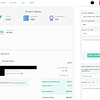
Here is an order of mine that was showing TBD for the resolution.
A moment ago, I refreshed the page and it now shows the resolution.
NoNaym
15
Please see my last response above with screenshot attached. Thanks for your support!
NoNaym
16
I just triple-checked some things and noticed that (at least with this order, which was already having TBD issues before that was miraculously fixed) this quote is not being calculated correctly… or maybe it is? This is seriously super confusing, and way less intuitive than things used to be. My price for ABS is .75 per cubic cm. According to this order, this part is 5.7 cubic cm (or is that for all 4 parts??? Really unclear!). Either way, this new calculation system is all messed up…
1 Like
Filemon
17
I admit this is unclear. I went into the order an found the cause. If you hover over the “i” it says that typical FDM volume is 3,1cm3 and for most other printers it’s 5.7cm3. It shows the latter where it should have shown the first (bug).
Taking the 3,1cm3. We have 4 parts, so 4 x 3,1 = 12,4 cm3, multiplying this by 0.75 / cm3 gives $9.3, which is correct (there’s some rounding off in the shown volume so minor variation is possible).
So, admittedly, we need to fix the bugs, but you can be reassured that the pricing system itself is correct. Hope this solves!
Filemon
18
Could be a server issue then, that the calculations don’t come through quickly enough. Will check that hypothesis
NoNaym
19
This is still very counter-intuitive, and taking away the Hubs’ abilities to adjust part volume just seems crazy. Like others have noted in this and other threads, I have had to adjust the part volume on pretty much every order I have received (20+ orders) because the 3D Hubs estimate was not matching up with my part volume estimates (which come from my slicing software that I set up for my printer). This new system makes this kind of adjustment much more difficult and confusing, not only for your Hubs, but for customers who want transparency in their orders. Sorry, but these changes all just seem so sloppily implemented…
2 Likes
Cool, thanks. One feature I’d still like is to be able to offer “rush processing.” Right now, I just list my printers as multiples. Some with smaller lead-times but higher startup prices. Also, it is often confusing for people when I tack on fee for “parts cleanup.”
We should have “additional services.” Be a prompt at time of order.
2 Likes
eckerj
21
Hi Filemon,
Is it possible to provide hooks into the back-end slicing engine that 3D Hubs uses for estimating product sliced-volumes?
I imagine it would require a bit of work, but if you were able to do this, we could enter in our default slicing parameters on our printer pages and at least have the 3D Hubs estimate come closer to our own individual estimates.
It would also be nice to have an option for support material generation estimates, either by a checkbox or an automatic guess by the slicer.
In any event, we’ve lost an important functionality when we are no longer allowed to enter in our own sliced volume into orders.
Thanks much
3 Likes