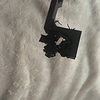
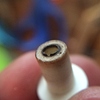
How many print hours are you up to with your printer? Have you ever changed the white teflon insulator (white thing above the nozzle)? The Ultimaker 2 from Q1-Q2 2014 had Insulator that started deforming between 300-600 print hours. Newer ones have better durability but still deform over time.
Some Colorfabb variants have slightly higher flow rate than others, try increase the flow by 5 percent. If not then you have back pressure in the nozzle caused by printing the top layer too fast, lower the speed and you should be fine. Print a few calibration cubes with that filament to dial in the settings.
I see that the other layers looks nice. It is strange that it is only the final layer that causing problems.
I dont think there is anything wrong withe your printer or filament.
To me it looks like at Gcode problem. Do you have any plugins enabled?
HI,
for me it looks like an extrusion problem
1 Like
So the printer always get extrusion problems with the final layer? that sounds very strange!
Hi ikymagoo, my suggestion is to change the temperature from the standard 210 degrees C. to 220 C. Sometimes this produces good print results on my Ultimaker2, even if the official Colorfabb advise is to print it in a temperature range from 190 C. to 210 C.
Please let me know if my advice produces good results on your printer too!
Ronald
tried this came issue, does it on Colorfabb Red and on Ultimaker sky blue.
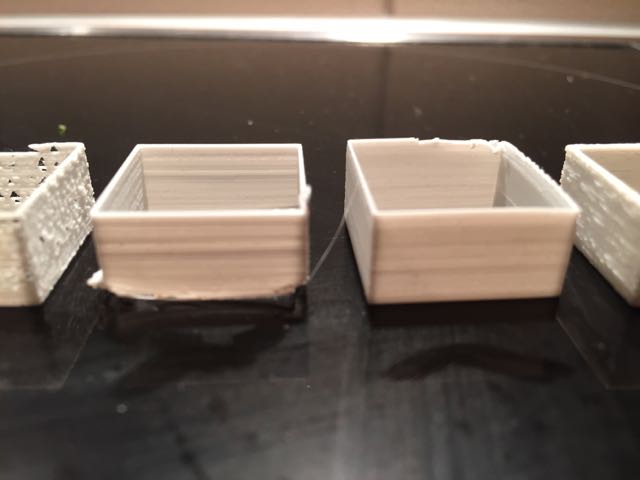
here are 2 photos, the smooth one i did last week, no problems, same colorfabb intense green, but different roll,
the other one is what is printing now, i noticed the first 2 layers of top infill are not spanning the 25% infill lines
this one was done with temp at 225 and i slowed the speed down to 70%
1 Like
644 hours, original white teflon insulator, the machine was bought in January 2015
no, just this last couple of prints 
Do you print a lot of high temp filaments like ABS, Nylon, XT or PET?
Your nozzle could be partially clogged (try a few atomic/cold pull).
If you are familiar with the print head you can disassemble it and look if the telfon piece is deformed (the inside hole would not be perfectly clean and constant) Ultimaker 2 - Removing the Nozzle - YouTube
1 Like
Make sure its all round and clean inside.
would it be better to buy a new one?
Its always better to have a spare one. You can contact support and see if you are entitled to get a second one for free (everyone as the right to request one spare nozzle and insulator). You can buy it on the ultimaker shop or on http://3dsolex.com/teflon-replacements
Every once in a while its good to do a good maintenance on the printer. Cleaning the nozzle and insulator as much as possible, oiling the X-Y axis rods using sewing machine oil, tightening the belts, cleaning the feeder.
Or maybe just with that specific STL file?
Still think its a Gcode problem 
I’m getting a new Teflon coupler, so I will let you know if that fixes the issue, it looked bad so I’m hoping.
Have you measured the filament diameter? Just to be sure… Also try cleaning the hot-end with a good few atomic methods. https://ultimaker.com/en/support/view/149-atomic-method