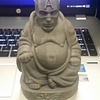
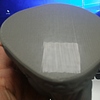
does it have to do anything with shell thickness or bottom layer thickness
No you need to calibrate your printer
no its calibrated ive made many prints before and after i just noticed it with this one also to add my fan runs at the very first layer is that bad beacuase ive see people that use kaptop with heated bed make the fan start at around default maybe that is the cause
Dose the model have a flat bottom?
I am betting my fan starting to cool it does not let the second layer stick very well
You can try but I think it’s the hot end is to high.
Ok I’ll check my cooling and hight
Hi Greg,
… I don’t know where to start.
Your 1st (and second layer) show clear signs that each strand is not touching each other.
What I would advise you :
Do not put 200% on 1st layer width : with 0,3mm height it puts too much strain on your extruder. Try going back to 100% and rechecking : your Z offset (M212, M500, M501), your extruder ratio, your filament diameter.
In fact, I would advise you to make a smaller 1st layer (0,1mm ; 0,15mm ?) rather than a bigger one. When you have levelling issues or planeity issues it is the way to go. However, I own a Metal Plus Dual and never had to do this to deal with levelling or planeity. So either you don’t need it at all or perhaps you just need to adjust the mechanics better.
Not relevant but I would still do :
- change your layer height to 0,2mm (why 0,1984 ??)
- change retract speed to 30mm/s
Have a nice day
2 Likes
Ok I’ll have to recheck all. My settings
I am still. Very new to Cura and overall 3d printerting
You can get a file that you run I cura that puts in recommended settings for your printer
Turn your fan off for the first layer and slow your print speed for the first couple of layers, maybe consider turning your hot end temperature up
1 Like
I’ll try that as well i am sure that is the issue
Hey, LambdaFF, as AutonomousAlex eluded to it below - the Printrbot’s use an imperial screw for the Z axis, and as such the stepper motors can’t hold at rounded ‘metric’ values as each layer builds. This rounding error is cancelled out over multiple layers so any finished part is dimensionally accurate, but you can get a tiny squished-stretched pattern over the z axis walls which matches the screw pitch similar to z-wobble.
This banding is very subtle but I have stopped using metric layer heights (0.1,0.2,0.3 etc) for resolution and use multiples of 0.1032mm along with adjustments in my Marlin Z stepper motor config and my print quality for my vertical walls has improved drastically!
This however, is probably not what is occurring here! 
Steve
Yes I know I’ve remembered I changed stock fan for a noctua brand 40mm premium fan and I let settings to start fan at 100% on . 0 but I also need to set the print hight at .2mm and readjust my print speeds and such
I have the same printer, and this looks almost entirely like an issue with z height calibration.
This is for the simple, but everything will work the same on the plus (slightly different if you have the dual extruder model)
https://printrbot.dozuki.com/Guide/4.+Using+Cura+to+Set+Up+the+Auto-Leveling+Probe+on+Your+Printrbot+Simple/190
also on a unrelated note, I would recommend upgrading from the kapton tape to buildtak, it helps a lot. And it’s hard to find build platforms that come in 10"x10", but buildtak does. Makes the first layer drastically more simple, but you still need the right z offset.
Any chance you might have the temp too low?
It’s not the offset and I’ll recheck all my settings because my past prints did not have this issue only when I changed my cooling fan and yes I’ve been playing with temps