
Every 3D printing technology comes with a distinct set of capabilities and its own design freedoms and restrictions. Whether you are a seasoned engineer who’s well-versed in designing for 3D printing or you are new to the field, it’s always a good idea to go over the most essential factors that make or break a design.
This article covers the key design considerations that apply to 3D printing in general, regardless of the printer you choose for manufacturing your custom parts.
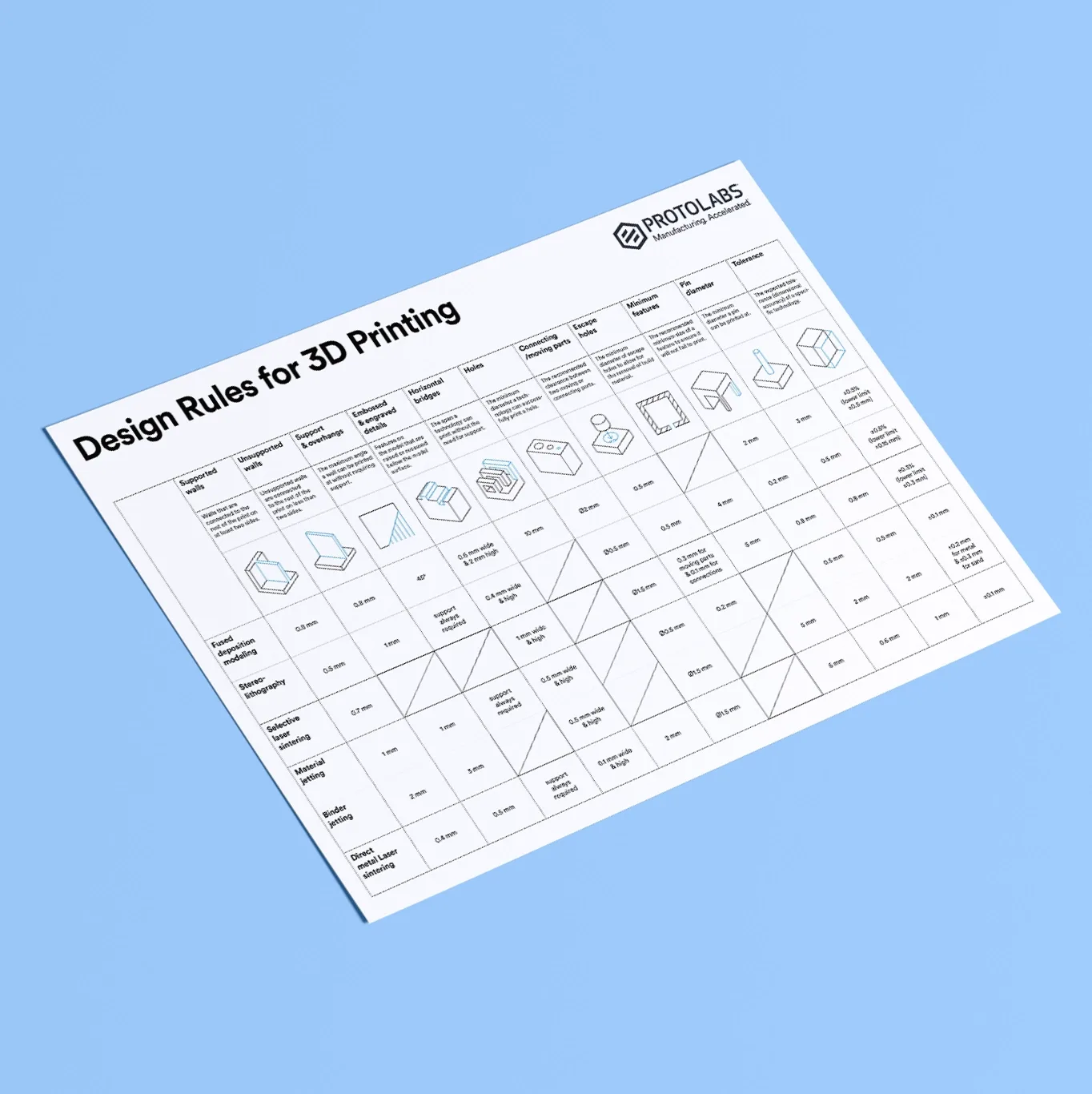
Quick design reference for 3D printing
Check out this handy infographic for quick access to every essential design element you may need while creating digital models to 3D print.
How to design parts for 3D printing
Each
3D printing process has its own design advantages as well as some limitations. Let’s break down the key design considerations that apply to every 3D printing technology to keep in mind when designing your next custom parts.
Designing 3D models with overhangs
All 3D printing processes build parts layer-by-layer. New layers can’t be deposited onto thin air, so every layer must be printed over some underlining material.
Overhangs are areas of a model that are either partially supported by the layer below or not supported at all. There is a limit on the angle every printer can produce without the need for support material. For example, if you’re printing with an FDM and SLA machine, this angle is approximately 45 degrees.
We recommend limiting your model’s overhangs, as layers printed over support structures usually come out with a rougher surface finish.
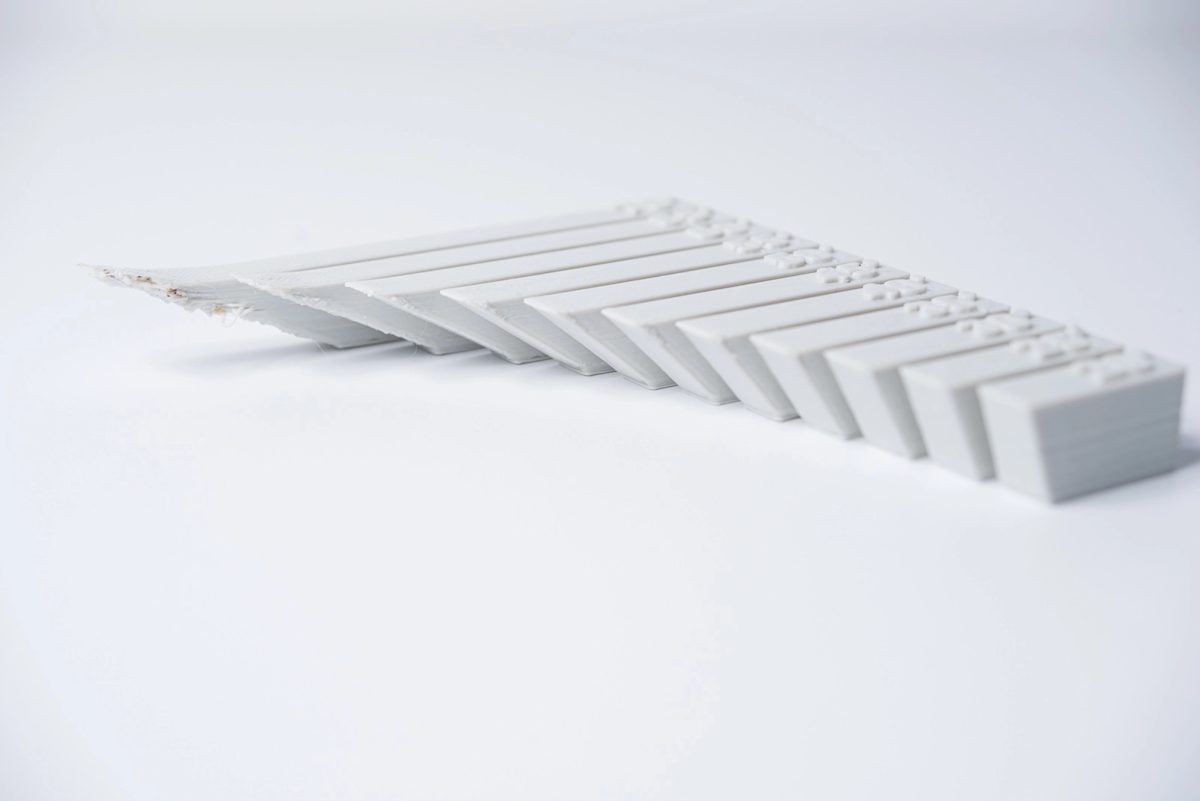
Wall thickness for 3D printing
When designing a part for 3D printing, wall thickness is a critical factor to consider. Every 3D printing process has its own level of precision, FDM is generally less accurate, while SLA offers tighter tolerances. However, two related but distinct concepts are important: minimum wall thickness and minimum feature size.
-
Minimum wall thickness refers to the thinnest wall that can be printed while maintaining structural integrity.
-
Minimum feature size refers to the smallest detail a printer can reliably produce (such as holes, grooves, or embossed text).
These limits vary by process and material, but they are not interchangeable. A feature may be printable in terms of resolution, yet still fail structurally if it is too thin.
For example, imagine you are designing a scaled-down model of a hang glider. While your CAD software may allow you to model very thin sailcloth, attempting to print it could lead to issues. Even if the printer can technically produce a 0.8 mm wall, an unsupported wall at this thickness may be too fragile, leading to warping or deformation during printing or cooling.
To ensure successful prints, it’s essential to design walls that meet the minimum thickness requirements for both printability and stability, not just resolution. As a general guideline, many 3D printers can produce walls thicker than 0.8 mm, but thicker walls are often needed depending on geometry, orientation, and support conditions.
What is warping and how can you avoid it?
Warping is a common issue in 3D printing caused by internal thermal stresses that develop as a part heats up and cools down during the build process. As material solidifies, uneven cooling can cause different areas of the part to contract at different rates, leading to distortion.
Large, flat surfaces are especially prone to warping because they allow stresses to build up over a wide area. If not managed, this can result in parts lifting from the build plate, bending, or losing dimensional accuracy.
To minimize warping, it’s important to address both process settings and design choices:
-
Ensure proper machine calibration and bed adhesion to keep the part stable during printing
-
Avoid large flat surfaces where possible, or break them up into smaller sections
-
Add fillets (rounded corners) to reduce stress concentrations
-
Incorporate structural ribs to reinforce flat areas and improve stiffness
These design strategies help distribute thermal stresses more evenly, reducing the likelihood of deformation. By combining good design practices with proper print setup, warping can be significantly minimized.
Designing the right level of detail
When you are creating a 3D model with intricate details, it is important to keep in mind the minimum feature size each 3D printing process can handle. The minimum level of detail is connected to the capabilities and mechanics of each 3D printing process and to the selected layer height.
The process and materials used will have an impact on the speed and cost of your print, so determining whether smaller details are critical to your model is an important design decision.
Using digital tools to design physical components
The most important thing to remember while designing for 3D printing is the fact that your digital design will become a physical object. In the digital design environment, there are no laws of physics to adhere to, such as gravity.
Anything can be "drawn" in 3D on a digital canvas, but not everything can be 3D printed. Knowing the key factors that go into designing 3D models will ensure that you produce digital designs that can be successfully printed.
Want to learn the key design elements for every 3D printing technology?
Design parts for FDM Design parts for SLA Design parts for SLS
Start a 3D printing project
Get an instant quote for 3D printed parts by uploading a CAD file.
Frequently asked questions
What’s the best CAD software for 3D printing designs?
Modern parametric CAD tools like Fusion 360, SolidWorks, and Onshape are widely used for 3D printing due to their precision and flexibility. While STL files are common, many workflows now prefer STEP files, as they preserve more accurate geometry and improve manufacturing outcomes. For a more in-depth exploration of all the major CAD programs, check out our article on design software.
Do you need additional software for 3D printing with Protolabs Network?
You don’t need to install any additional software apart from CAD to start producing custom parts with Protolabs Network. Our manufacturing partners are equipped with the best slicing software and a wide variety of machines for all your custom part requirements.
Should you avoid overhangs in my 3D models?
We recommend avoiding overhangs when possible by designing models to be 3D printed. Try not to design your parts with angles over 45 degrees.
What’s the minimal wall thickness for 3D printed parts?
All 3D printers used within the Protolabs Network manufacturing network can print parts with wall thicknesses of 0.8 mm and over.
How do you keep your parts from warping?
To ensure that your custom parts don’t warp, we recommend avoiding large flat surfaces and using rounded corners in your designs.
How do you select the right 3D printer for my design?
It can be quite challenging to choose the right 3D printing technology for your specific applications. FDM is optimal for rapid prototyping and SLS and MJF tend to be better for larger production runs of complex parts, for instance. To help you select the best 3D printing process, we produced this handy guide.